Active sourcing that doesn’t sound like a mail merge.
The recruiting agent searches LinkedIn for the right candidates, rates every profile against your criteria and writes each person their own message. You lead the conversations.
From mandate to conversation in six stages.
You describe the job once. The agent handles searching, sorting, outreach and follow-ups; you lead the conversations.
- 01
Job
Paste the ad or import it via link. The AI reviews it and suggests missing details.
- 02
Search
SAIA builds the LinkedIn search from your briefing, or you bring your own searches.
- 03
Rating
Every profile lands in class A, B or C, with reasoning.
- 04
Outreach
Connection request and a unique message per person, following your tone and language guidelines.
- 05
Follow-up
Follow-ups with wait times, optional InMail and a referral request at the end.
- 06
Conversation
Replies land in your inbox and tasks. Book meetings with your calendar link.
Every profile checked before anyone gets a message.
You decide what counts. The AI sorts every candidate into A, B or C and explains why. Only the classes you choose get contacted: just A, or A and B.
Must-haves met
Shown in the profile or clearly likely from roles and experience. These candidates fit the job.
Generally suitable
Fits the job, but the must-haves aren’t clearly shown in the profile. No exclusion applies.
Exclusion applies
An exclusion criterion clearly applies or the person isn’t suitable. C is never contacted.
Three kinds of criteria
Start from a template or let SAIA create the criteria from your briefing, then fine-tune them.
- Must-have
- If it’s shown or clearly likely, the candidate gets A. Without clear evidence, it’s B.
- Nice-to-have
- Mentioned in the reasoning, but doesn’t change the class.
- Exclusion
- If a criterion clearly applies, the candidate lands in C and isn’t contacted.
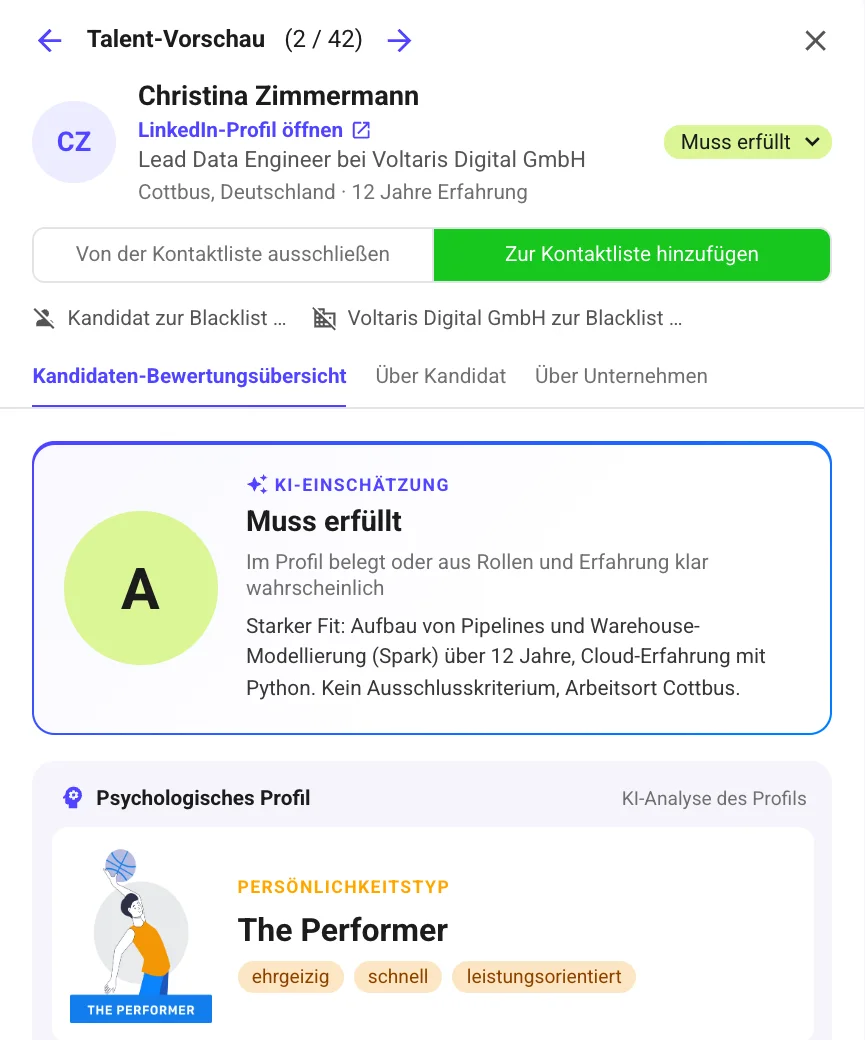
Real screenshot with demo data: rating and reasoning per candidate.
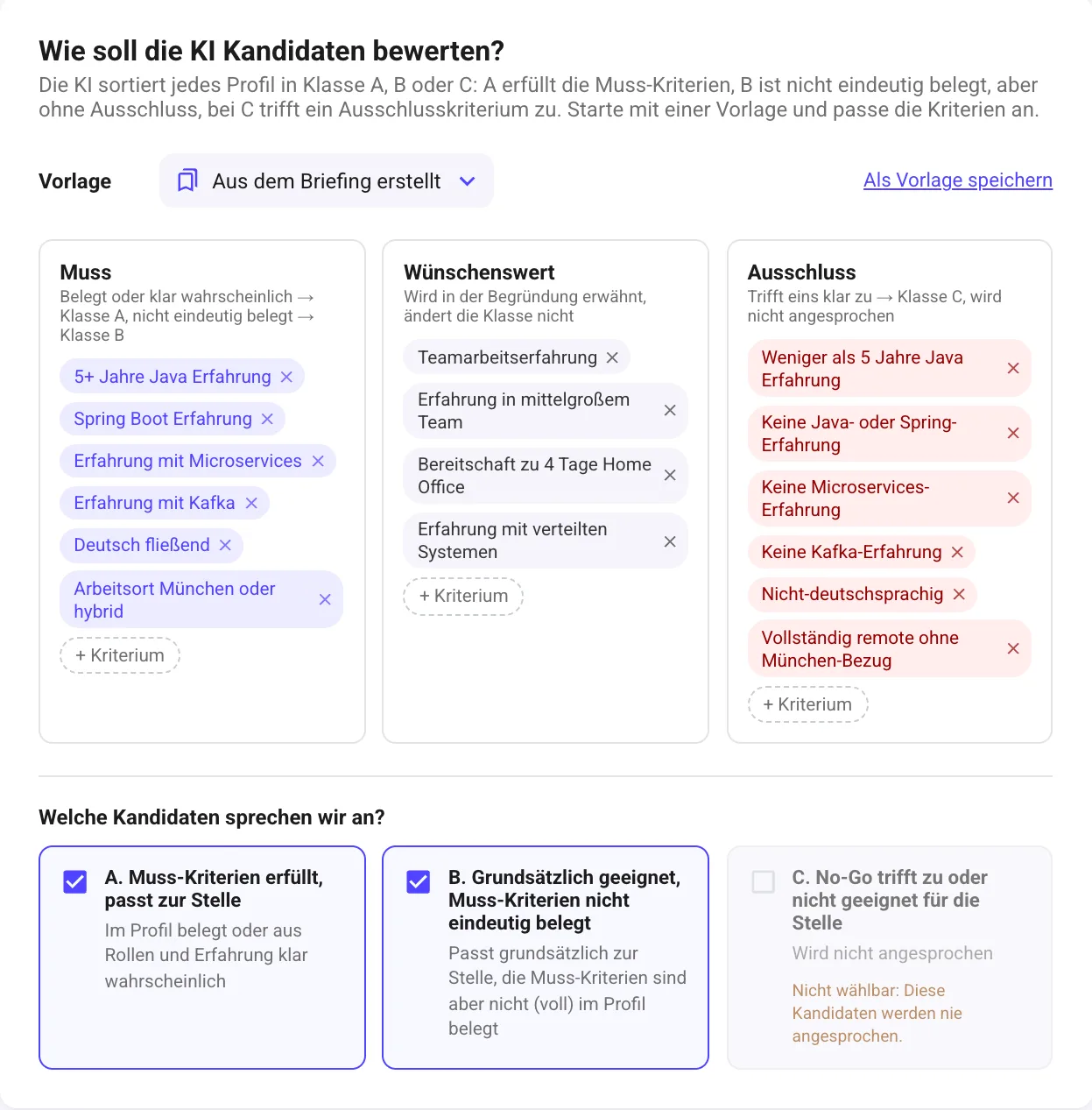
Real screenshot: set criteria, choose classes.
- You see the reasoning for every candidate and can change the rating by hand.
- Switch candidates active or inactive manually, one by one or in bulk.
- Re-rate after you’ve adjusted the criteria.
- Export the candidate list as CSV.
- For your own searches where you’ve already made a selection, rating can be turned off.
- People contacted elsewhere and blacklist entries always stay out.
Every message for exactly one person.
SAIA reads the profile and writes a message that explains why the job fits this person. No template where only a name gets swapped in.
Test first, then send
Test flow
Pick a real profile from your search. SAIA writes the full message sequence for that person, in the order of the flow. Nothing gets sent.
Approval on request
You decide per campaign: approve every message in your tasks first, or let the agent send automatically.
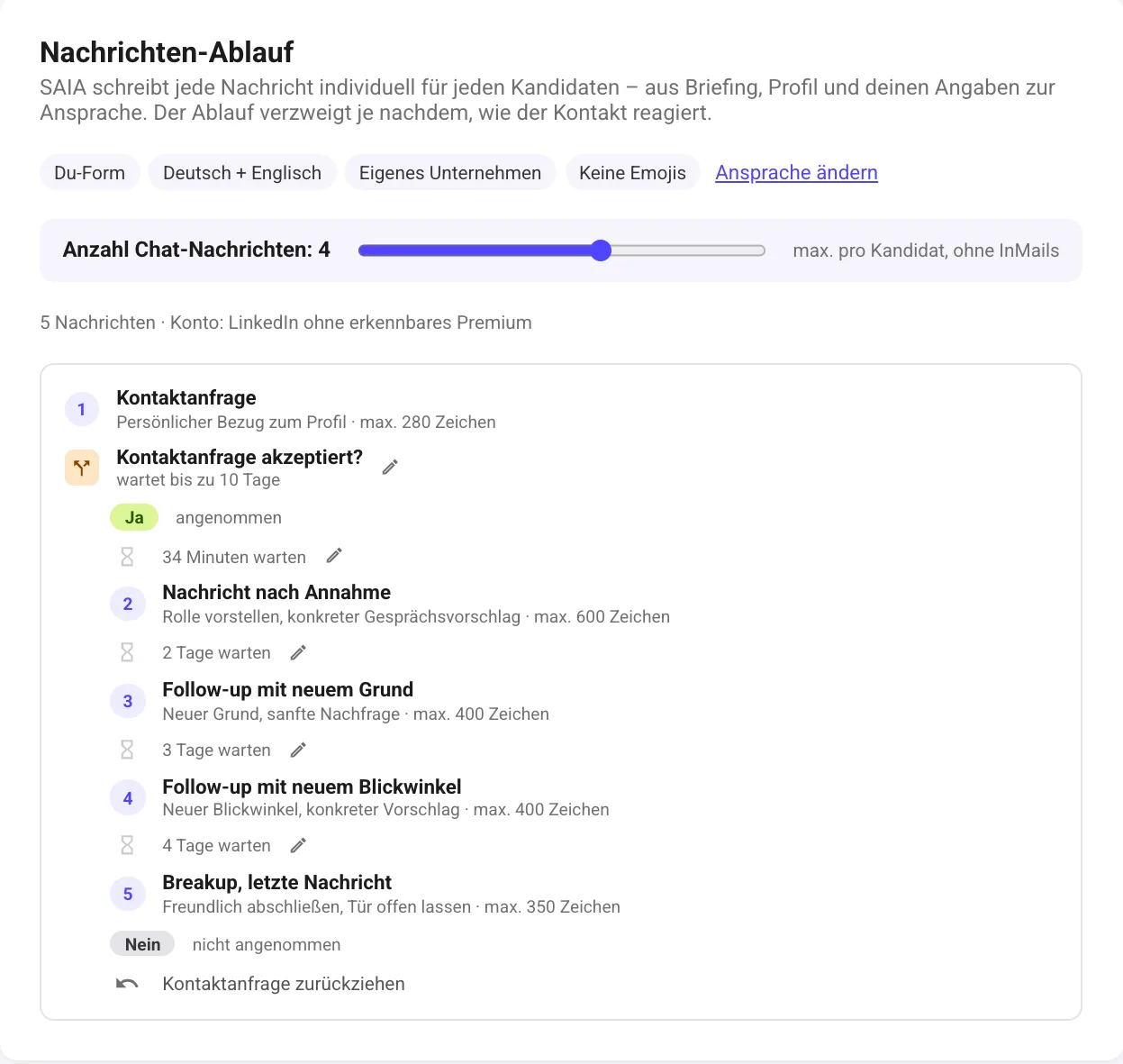
Real screenshot: the message flow, branching by response.
Formal or informal
Formal with last name or personal on a first-name basis. You set it per campaign.
Language
German or English, or in the profile’s language if you like, with a second language as fallback.
Motive profile
If a profile analysis is available, motives like relationships, influence, risk and achievement shape tone and wording.
Flow by response
The flow branches depending on how the contact responds. You can adjust the wait times.
Custom details
Benefits, salary or home office as custom placeholders. SAIA works them into the messages where they fit.
Calendar link
Offered with meeting suggestions and as a low-barrier option in the closing message.
Let it search, or search yourself.
SAIA’s search is usually enough. If you’ve already built the perfect search, just bring it along.
SAIA searches for you
Recommended. SAIA derives the LinkedIn search from your briefing: locations, job titles, industry, language. You can add to and change everything.
Your own LinkedIn search
Build the search yourself in LinkedIn, Sales Navigator or Recruiter and paste the link. Multiple links work; duplicates only count once.
- Radius search by postcode is available with Sales Navigator or Recruiter.
- Also works with a regular LinkedIn account.
- The blacklist applies to both sources.
- Anyone already contacted in another campaign is flagged and never messaged twice.
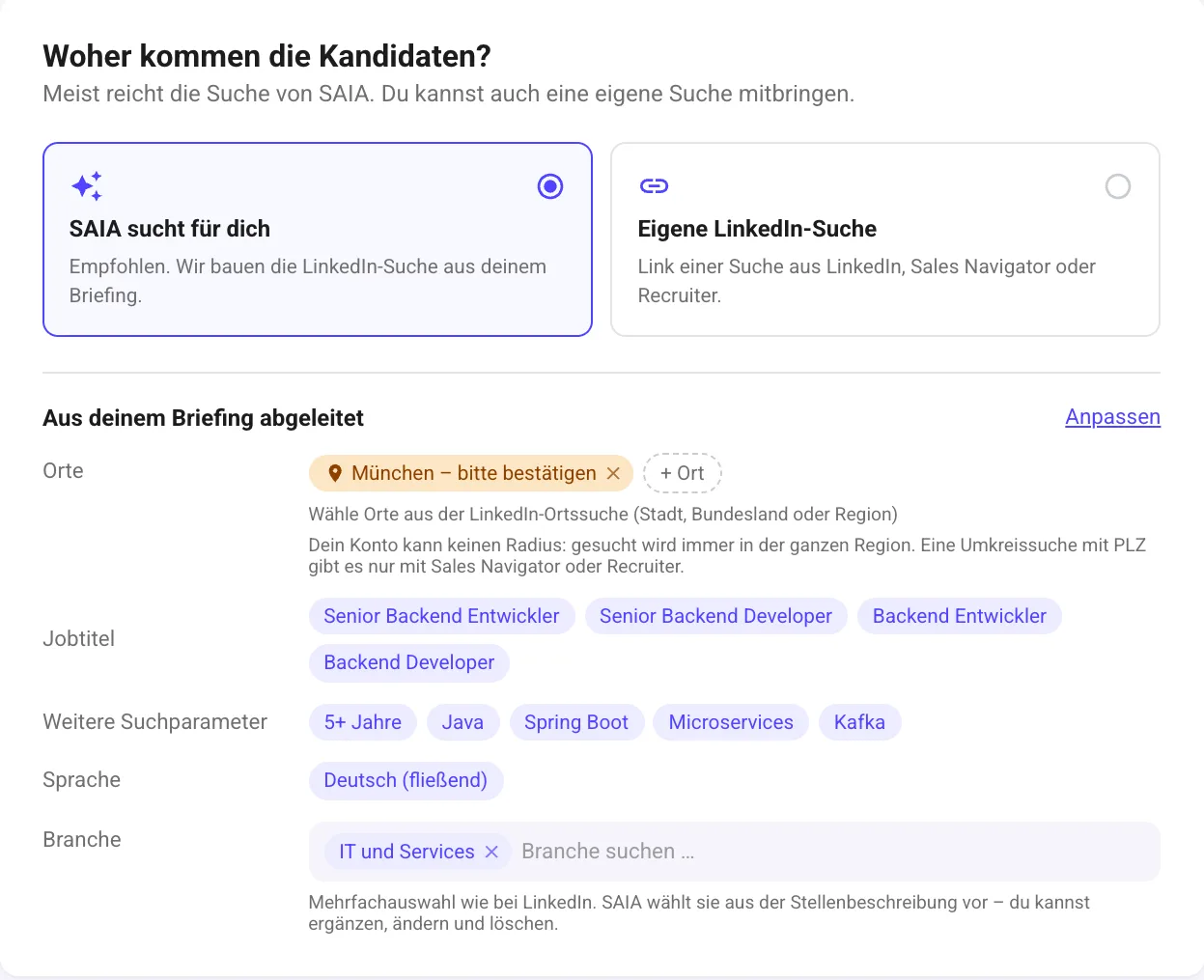
Real screenshot: search derived from the briefing.
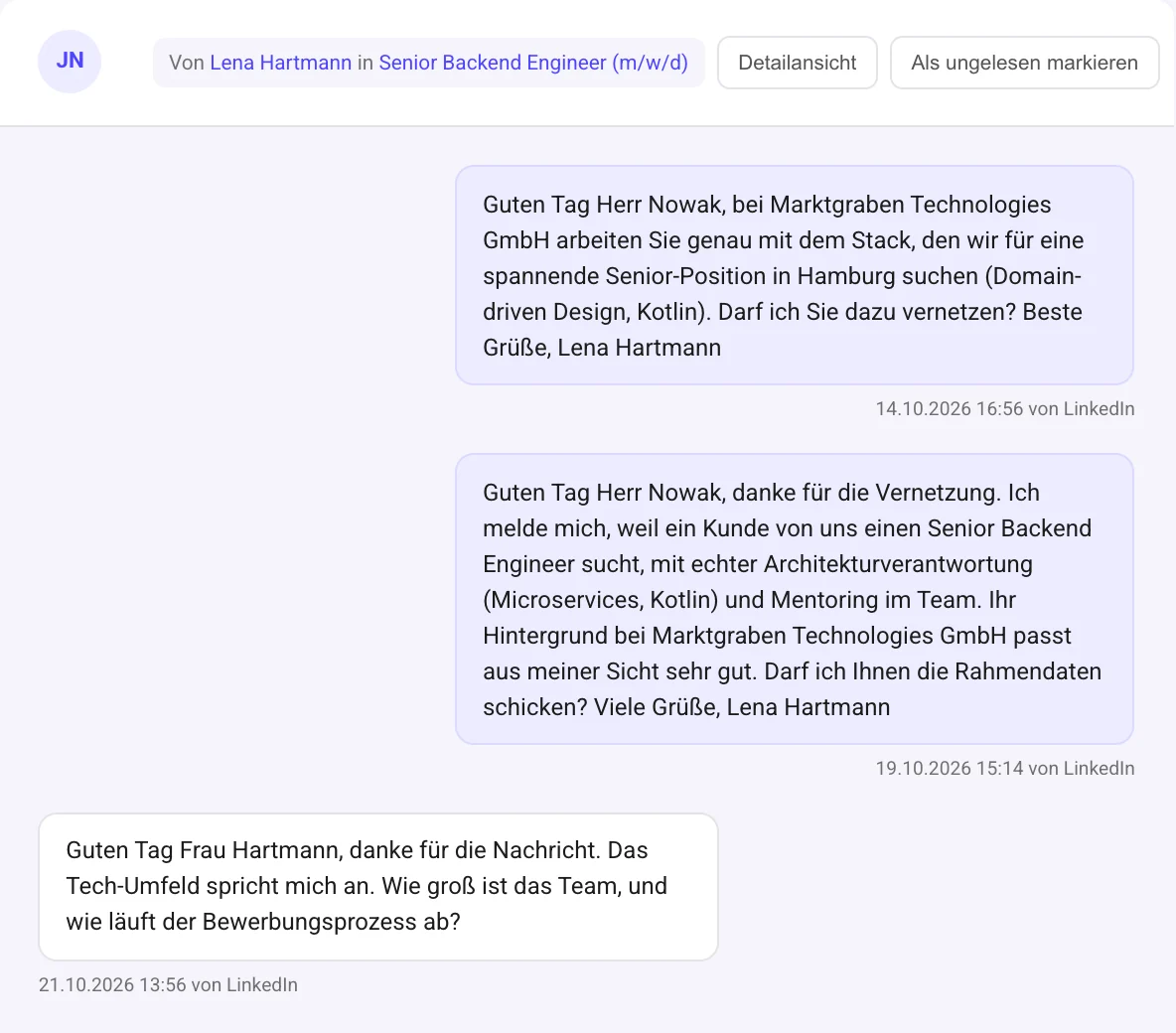
Inbox, tasks, history, statistics.
Everything the agent sets in motion comes together here. Real screenshots from the app.
Inbox
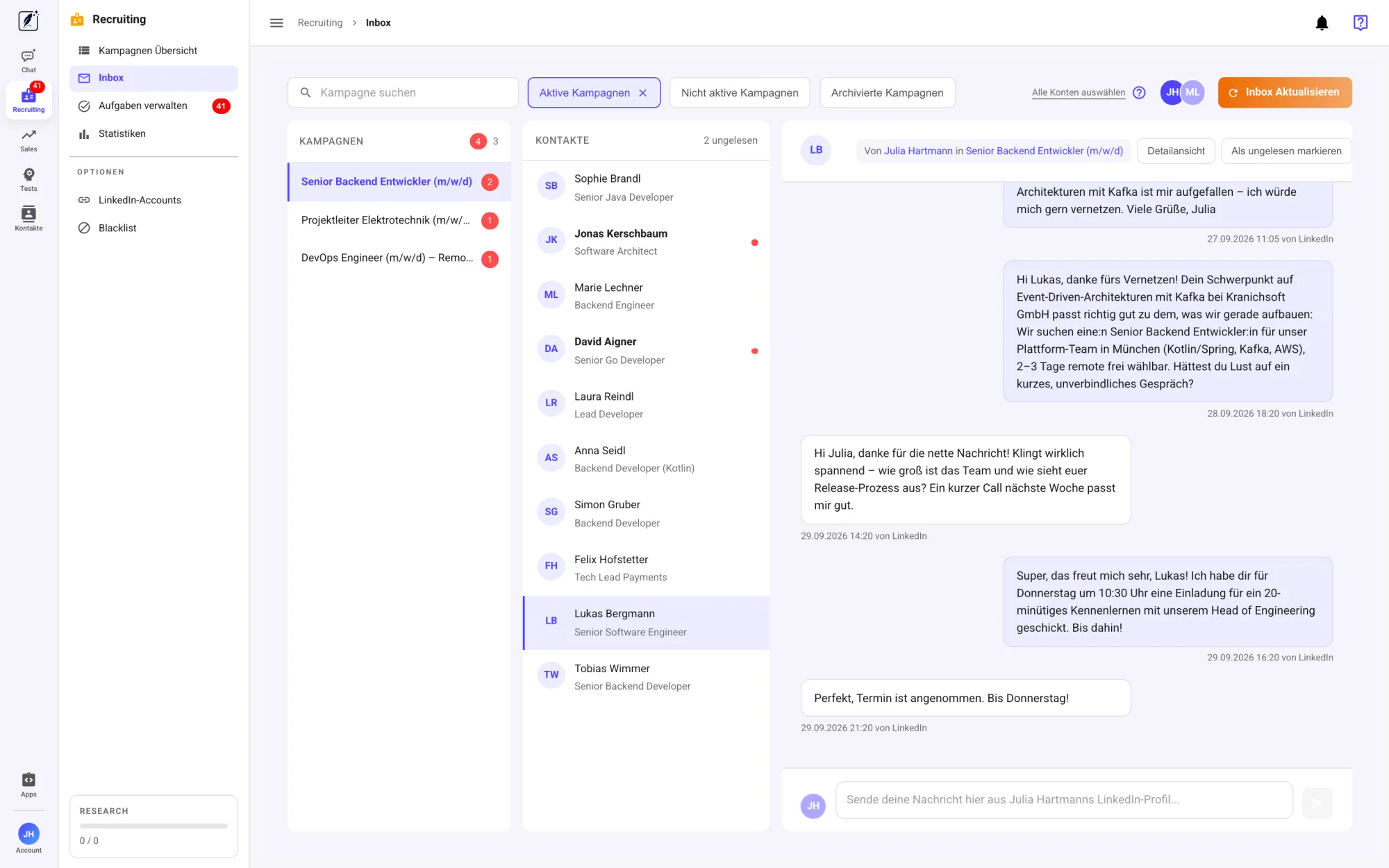
All conversations from your campaigns in one view, sorted by campaign and contact. Reply directly from the profile of the respective LinkedIn account.
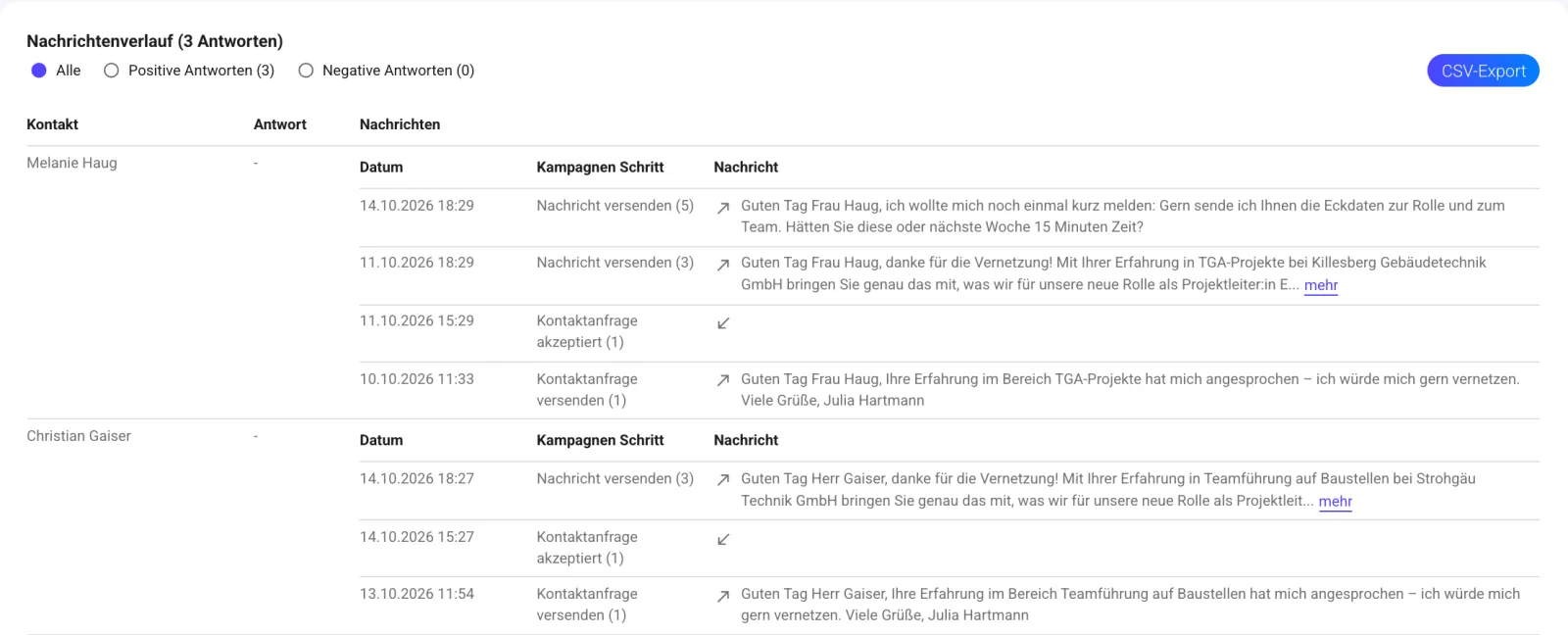
Message history
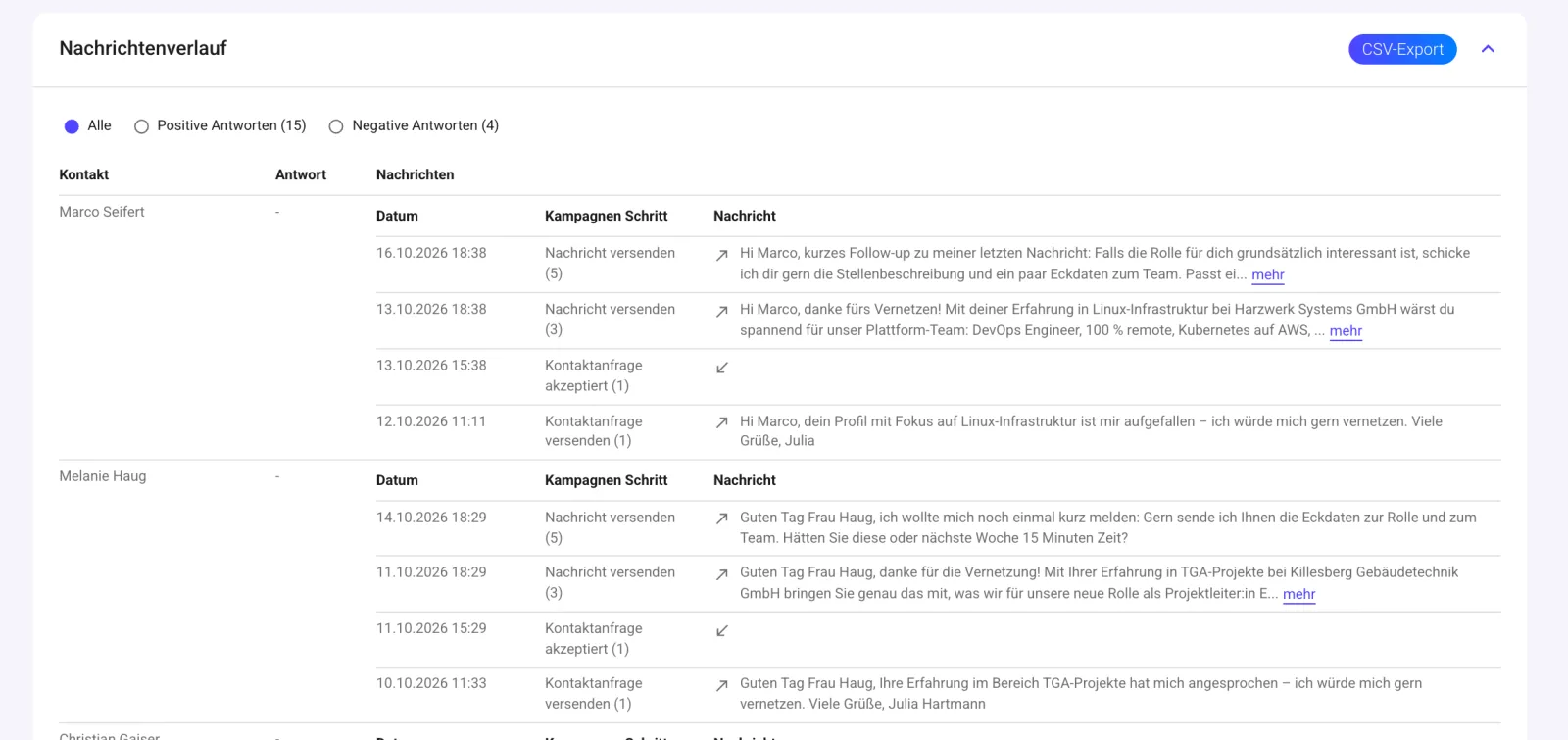
Every message per contact with date and step, plus the replies. Exportable as CSV.
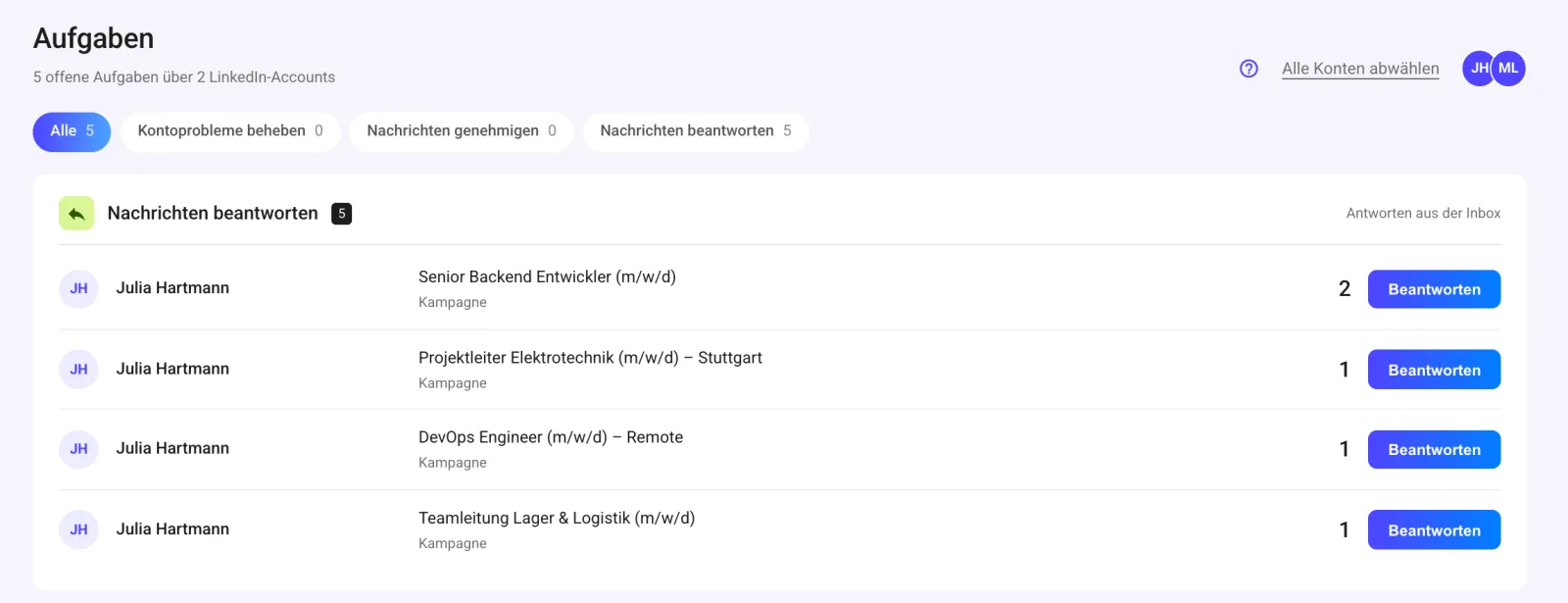
Tasks
Replies, approvals and account notices bundled in one list.
Statistics
Acceptance rate, reply rate and trends per campaign or side by side.
Many mandates, multiple recruiters, one interface.
Whether a recruitment agency with a dozen open roles or an in-house recruiting team: every mandate gets its own campaign, every recruiter their own account.
- In the wizard you choose whether you’re hiring for your own company or as an agency for clients. The flow adapts.
- Campaign as template: reuse the briefing, criteria and outreach of an earlier, similar role.
- Global blacklists for companies and people, valid across all campaigns: whoever you don’t want to contact stays out.
Multiple LinkedIn accounts
Every recruiter works with their own profile. Inbox and tasks show all accounts together or one by one.
Roles: Owner, Admin, Manager
Manage users and licenses yourself under “My company”.
Team templates
Set up rating criteria and blacklists once and save them for the whole team. New mandates start with proven criteria.
Many mandates in parallel
Every open mandate runs as its own campaign with its own briefing, criteria and outreach.
Frequently asked questions about the recruiting agent.
Anything else? Message us directly on WhatsApp.
Who decides who gets contacted?
You do. You set must-have, nice-to-have and exclusion criteria and choose which classes get contacted. You can override the AI rating by hand, and include or exclude candidates.
Can I see the messages beforehand?
Yes, in two ways. With “Test flow”, SAIA writes the full sequence for a real profile from your search without sending anything. And if you want, you approve every message in your tasks before it goes out.
What happens if someone doesn’t respond to the connection request?
You decide in the wizard: follow up via InMail (if your account has InMail credits) or withdraw the request after the wait time. You can adjust the wait time.
Which LinkedIn accounts do I need?
A regular LinkedIn account is enough. With Sales Navigator or Recruiter you can also plug in their searches, use radius search by postcode and send InMails.
How do I prevent candidates from being contacted twice?
Anyone already contacted in another campaign is recognized and not approached again. There are also blacklists for companies and people, per campaign or global. How long a contact is paused after outreach is set per campaign.
Can I fill multiple roles at once?
Yes. Every role runs as its own campaign with its own briefing, criteria and outreach. You can use an existing campaign as a template for a similar role.
How do multiple recruiters work together as a team?
Every recruiter connects their own LinkedIn account. You manage users and roles (Owner, Admin, Manager) in your account. Rating criteria and blacklists can be saved as templates for the team.
Can I bring the candidates into my own system?
You can export the candidate list as CSV. There’s no direct integration with applicant tracking systems.
Launch your first campaign today.
Add the job ad, set your criteria, launch the campaign. The agent handles the rest.
14-day free trial · Servers in Germany