New customers on LinkedIn, no mail merge.
The sales agent finds decision-makers who match your ideal customer profile, writes each one their own message and leads replies all the way to a meeting.
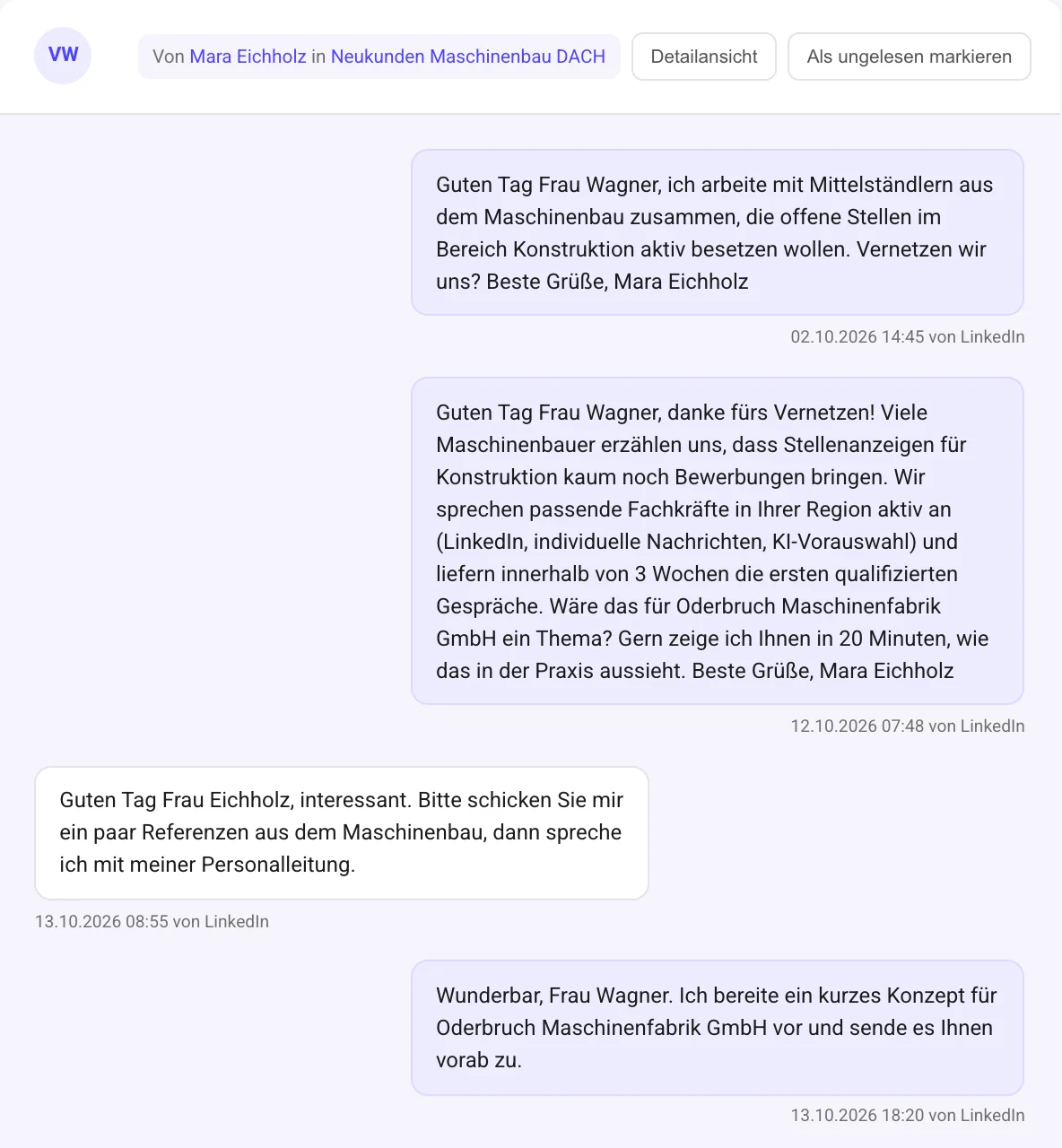
From ideal customer profile to meeting.
Six steps the agent works through for you. You step in when a reply turns into a conversation.
- 01
Define your ideal customer profile
Describe your ideal customer (ICP) and your offer. That’s the basis for rating and outreach.
- 02
Search on LinkedIn
The agent searches for matching decision-makers. With Sales Navigator you can also plug in your own searches.
- 03
AI rates the leads
Every profile is checked against your ideal customer profile before the first message goes out.
- 04
Personal first contact
Outreach refers to the other person’s role, company and situation. No mail merge.
- 05
Replies aimed at meetings
The agent responds to replies with a goal: gauge interest, answer questions, offer a meeting.
- 06
Pipeline
Anyone who replies lands in the pipeline and moves from stage to stage until they become a customer.
Customer acquisition that doesn’t sound like a mail merge.
The sales agent uses the same engine as the recruiting agent, with a different goal: not an application, but a conversation and a meeting.
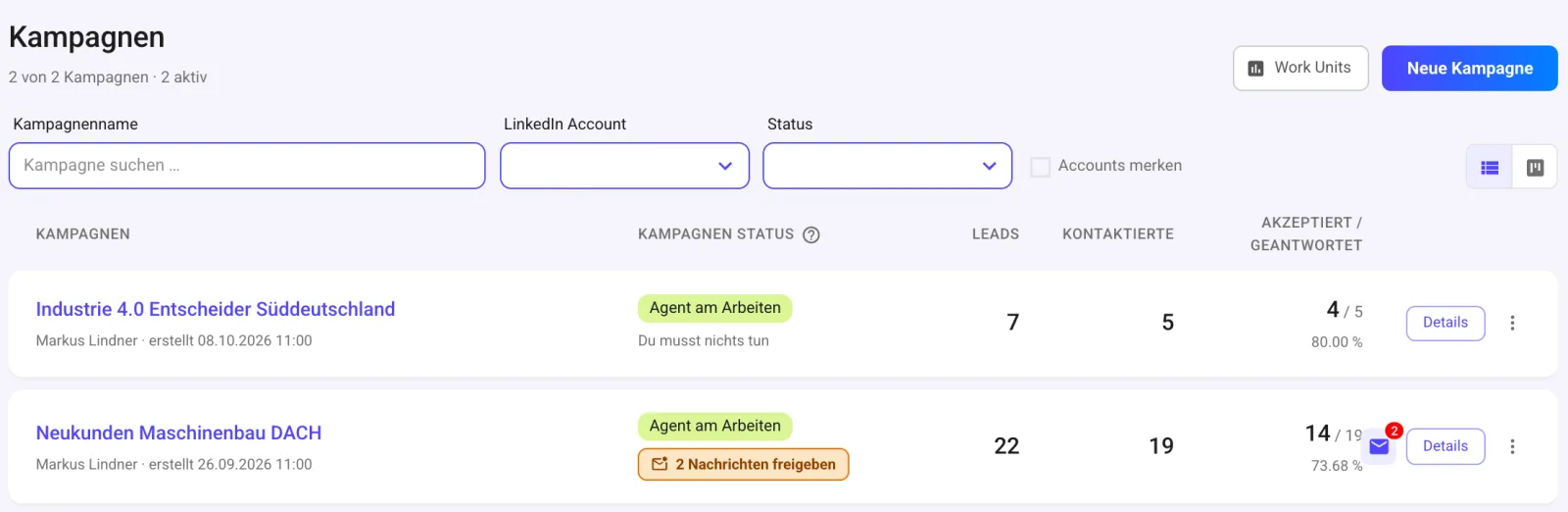

Real screenshots with demo data: campaign overview with approval notice and a campaign’s funnel.
Rating against your ideal customer profile
The AI checks decision-makers against your ICP before the first message goes out. So your messages reach the right people.
Messages per person
Every message is built from the other person’s profile and your guidelines. There’s no template where only a name gets swapped in.
Replies with a goal
The agent gauges interest, answers questions and offers a meeting. On its own if you like; otherwise you approve every reply.
Pipeline with conversion
Stages: Replied, Meeting booked, Qualified (BANT), Customer and Lost. With conversion and time between stages.
Approval or autopilot
You decide whether the agent sends on its own or every message lands in your tasks first. With “Test flow” you preview the full message sequence.
Inbox and tasks
Replies, approvals and account alerts all come together in one place, even across multiple LinkedIn accounts.
Statistics and CSV export
Acceptance rate, reply rate and time to conversion per campaign. Export contacts as CSV.
Careful and controlled
Fixed time windows, daily limits and a blacklist for companies and people. If LinkedIn shows warning signs, the agent automatically slows down for 14 days.
Everything in one interface.
Inbox, tasks and statistics work just like in Recruiting. Sales adds the pipeline. The sample views show demo data.
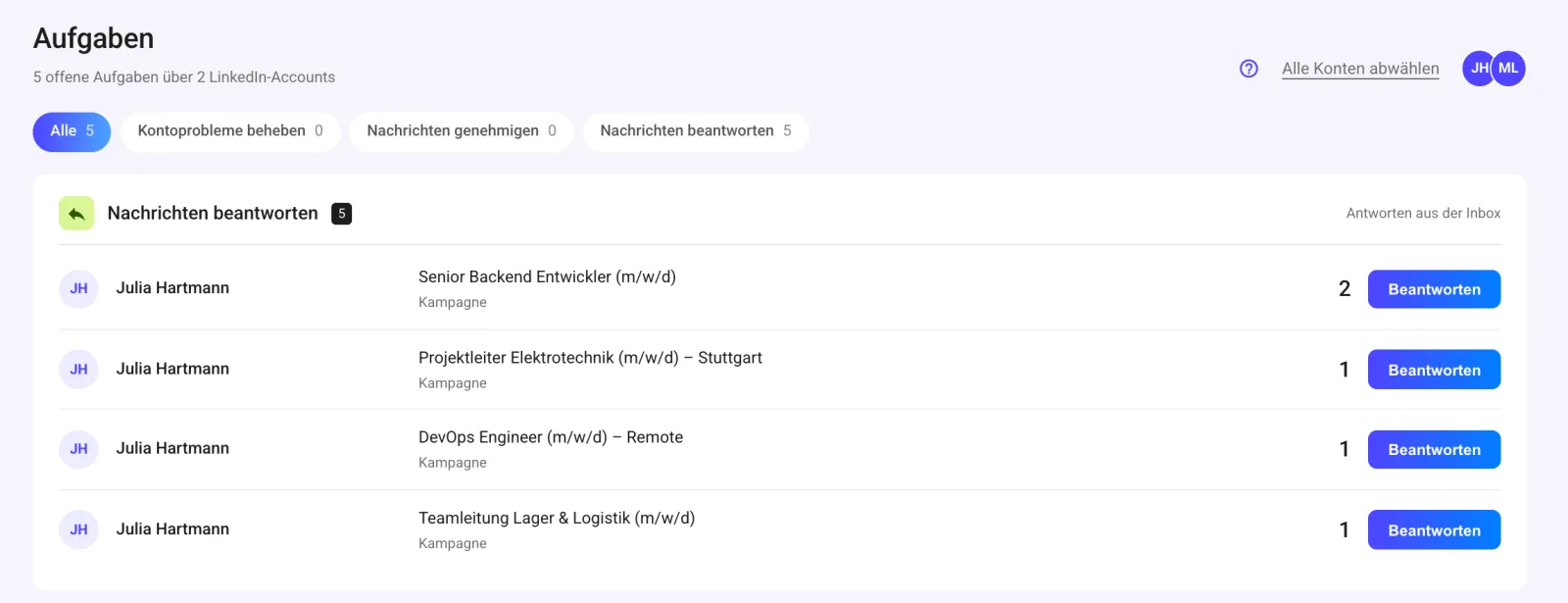
Tasks, not inbox chaos
Replies and approvals land in a single list, across all your LinkedIn accounts.
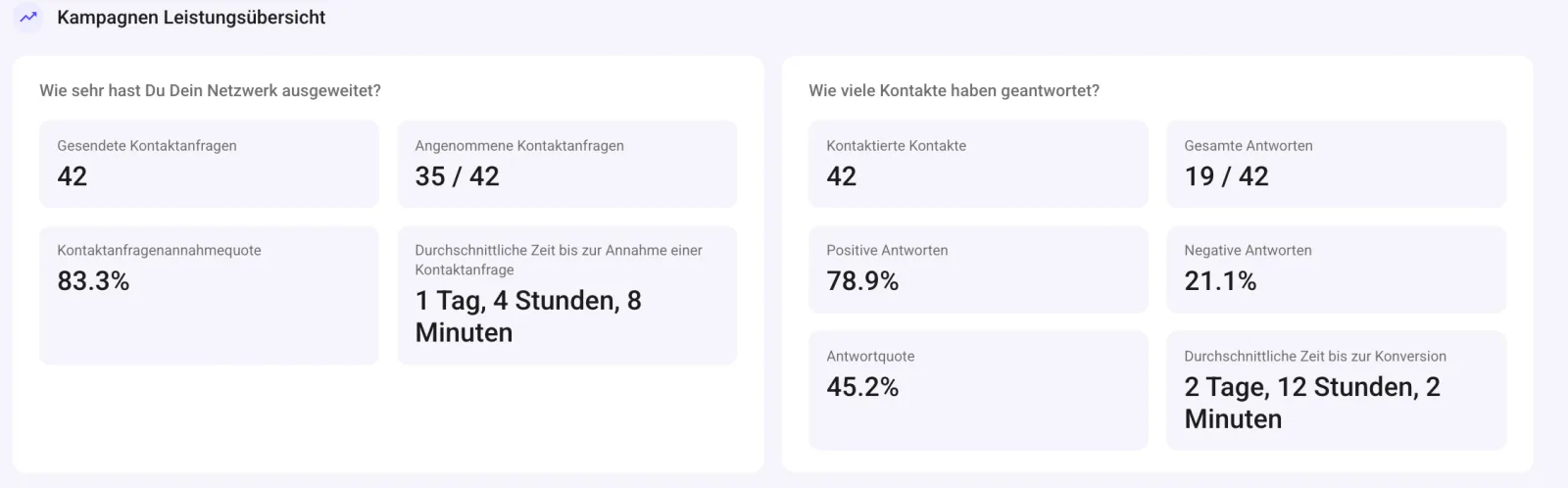
Numbers per campaign
Acceptance rate, reply rate, positive and negative replies, and time to conversion.
Candidates and customers from one source.
Hiring and selling? The bundle gets you both agents: one Recruiting and one Sales license per bundle, one login, one inbox.
- Recruiting agent for active sourcing
- Sales agent for new business
- One login, one inbox, one task list
- 14-day free trial
Sales FAQ.
Anything else? Message us directly on WhatsApp.
How does the agent pick leads?
You describe your ideal customer profile (ICP). The agent finds matching decision-makers on LinkedIn, and the AI rates every profile against your ICP before a single message goes out.
How personal are the messages?
Every message is written for that specific person, based on their profile and your input on offer and target customers. No template with just a name swapped in.
What happens when someone replies?
The agent can handle replies on its own, aiming to gauge interest, answer questions and propose a meeting. If you’d rather decide yourself, every reply lands in your tasks for approval first.
What does the pipeline show?
Everyone who replies moves through the stages Replied, Meeting booked, Qualified (BANT), Customer and Lost. You also see conversion and time between stages.
Do I need LinkedIn Sales Navigator?
No, Secret AI Agent also works with a regular LinkedIn account. With Sales Navigator you can add your own searches and send InMails.
Is this safe for my LinkedIn account?
The agent works in fixed time windows, sticks to daily limits and automatically slows down for 14 days if LinkedIn shows warning signs. No provider can guarantee you won’t face restrictions from LinkedIn.
Do I need to connect a CRM?
No. Connect your LinkedIn account and get going. Track replies and deal status in the app’s pipeline, and export contacts as CSV.
Can I use Recruiting and Sales together?
Yes, as a bundle. You get one Recruiting and one Sales license, one login and a shared inbox. Details are on the pricing page.
Can I try the Sales agent for free?
For 14 days, with every feature. After that, choose monthly, quarterly or annual billing.
Turn LinkedIn contacts into meetings.
Define your ideal customer profile, launch a campaign. The agent handles search, rating and outreach.
14-day free trial · Servers in Germany