From job ad to live campaign.
A guided wizard gets you to launch in seven steps. Then the agent works within fixed time windows and daily limits, and you run the conversations.
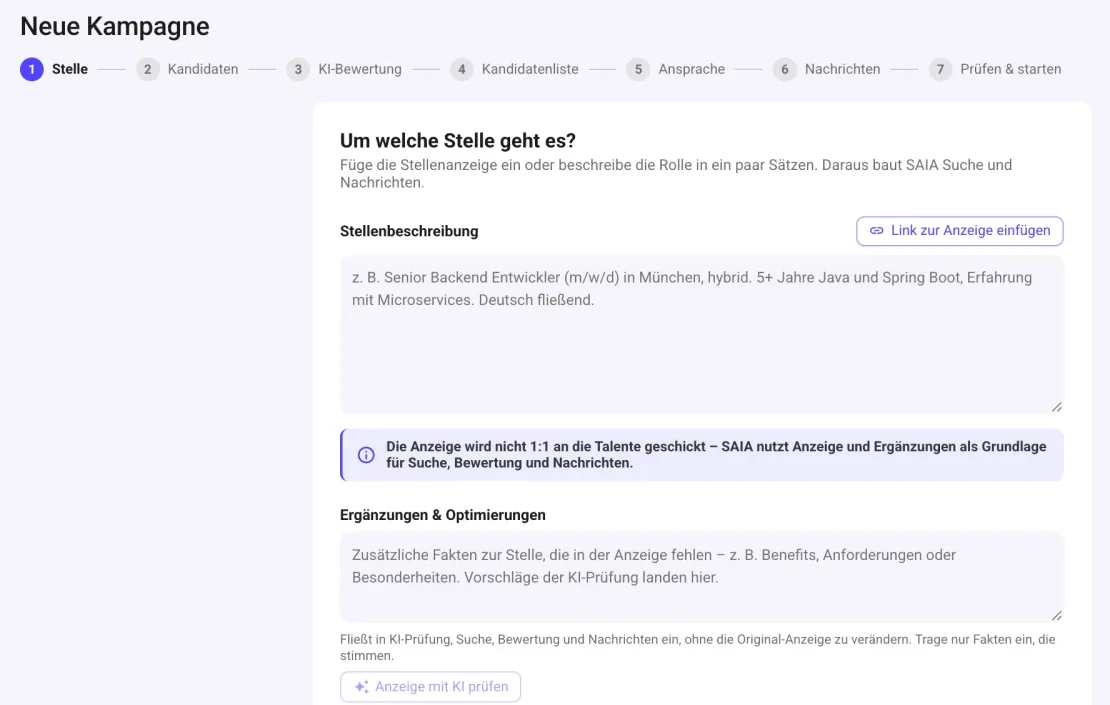
Seven steps, and your campaign is live.
The wizard takes you from job ad to launch. You can go back and adjust any step, or save it as a draft.
- 1
Step 1 of 7
Job
Paste a job ad, import it from a link, or describe the role in a few sentences. SAIA builds the search and messages from it.
- “Check ad with AI” shows what’s missing and suggests additions
- Your own additions (benefits, highlights) are included without changing the ad
- Choose campaign name, job title and the sending LinkedIn account
- Or use an existing campaign as a template
- 2
Step 2 of 7
Candidates
Decide where candidates come from: SAIA searches based on your briefing, or you paste links to your own LinkedIn, Sales Navigator or Recruiter searches.
- Locations, job titles, industry and language are derived from the briefing and can be adjusted
- With Sales Navigator or Recruiter, radius search by postcode too
- Blacklist: companies and people who are never contacted
- 3
Step 3 of 7
AI rating
Set must-have, nice-to-have and exclusion criteria. The AI sorts every profile into class A, B or C. You choose which classes get contacted.
- Start from a template or have criteria generated from the briefing
- Save your own criteria as a template, for you or your team
- Rating can be turned off for your own pre-selected lists
- 4
Step 4 of 7
Candidate list
A first preview of the candidates found, with the AI verdict. SAIA keeps rating more profiles after launch.
- View the reasoning and profile for each candidate
- Change ratings, exclude candidates or add them to the blacklist
- Filter by class, status, location and company, export as CSV
- 5
Step 5 of 7
Outreach
A few questions set the flow and tone: who you’re reaching out to, with or without a note on the connection request, what happens if they don’t accept, formal or informal, which language.
- New contacts, existing contacts or both
- If not accepted: follow up with an InMail or withdraw the request
- Optionally ask for a referral at the end, with a reward if you like
- Calendar link, emojis, custom placeholders and automatic replies
- 6
Step 6 of 7
Messages
SAIA shows the message flow, which branches depending on the response. With “Test flow” it writes the complete sequence for a real profile from your search. Nothing gets sent.
- Number of messages and InMails at a glance
- Wait times, for example until the request is accepted, can be adjusted
- 7
Step 7 of 7
Review & launch
A summary of everything with “Edit” links. Below it, the settings for how the agent works.
- Working hours (for example Mon to Fri, 8 am to 6 pm)
- Approval: approve every message first or send automatically
- How long already-contacted people pause before being contacted again
- One click on “Start campaign” and the agent gets to work
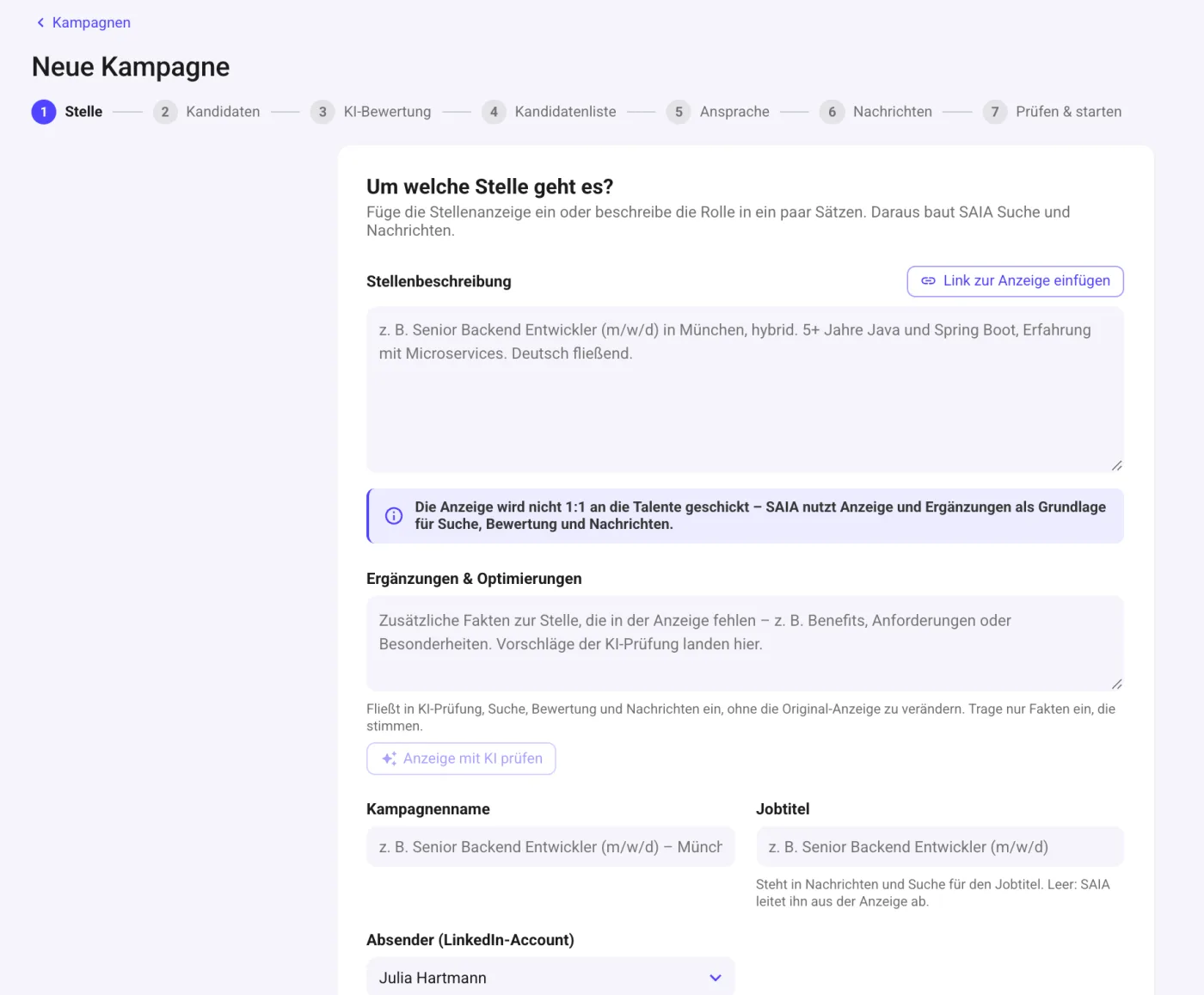
Real screenshot: step 1 of 7, the role.
What the agent now does for you.
After “Start campaign” you see live how many candidates have been found, matched and contacted. Pause and resume the campaign at any time.
Connection requests
The agent sends requests to candidates in the selected classes, with a short note if you like.
Message after acceptance
As soon as someone accepts, the personally written message from the flow follows.
Follow-up
Anyone who doesn’t respond gets a follow-up after the wait time you set. If they don’t accept, an InMail if you like, otherwise the request is withdrawn.
Replies
Replies land in the inbox. If you want, the agent answers them based on your guidelines, otherwise you take over.
Time windows
The agent only works on the days and hours you set for the LinkedIn account. Without them, no campaign starts.
Daily limits
It sticks to daily limits and automatically slows down for 14 days if LinkedIn shows warning signs.
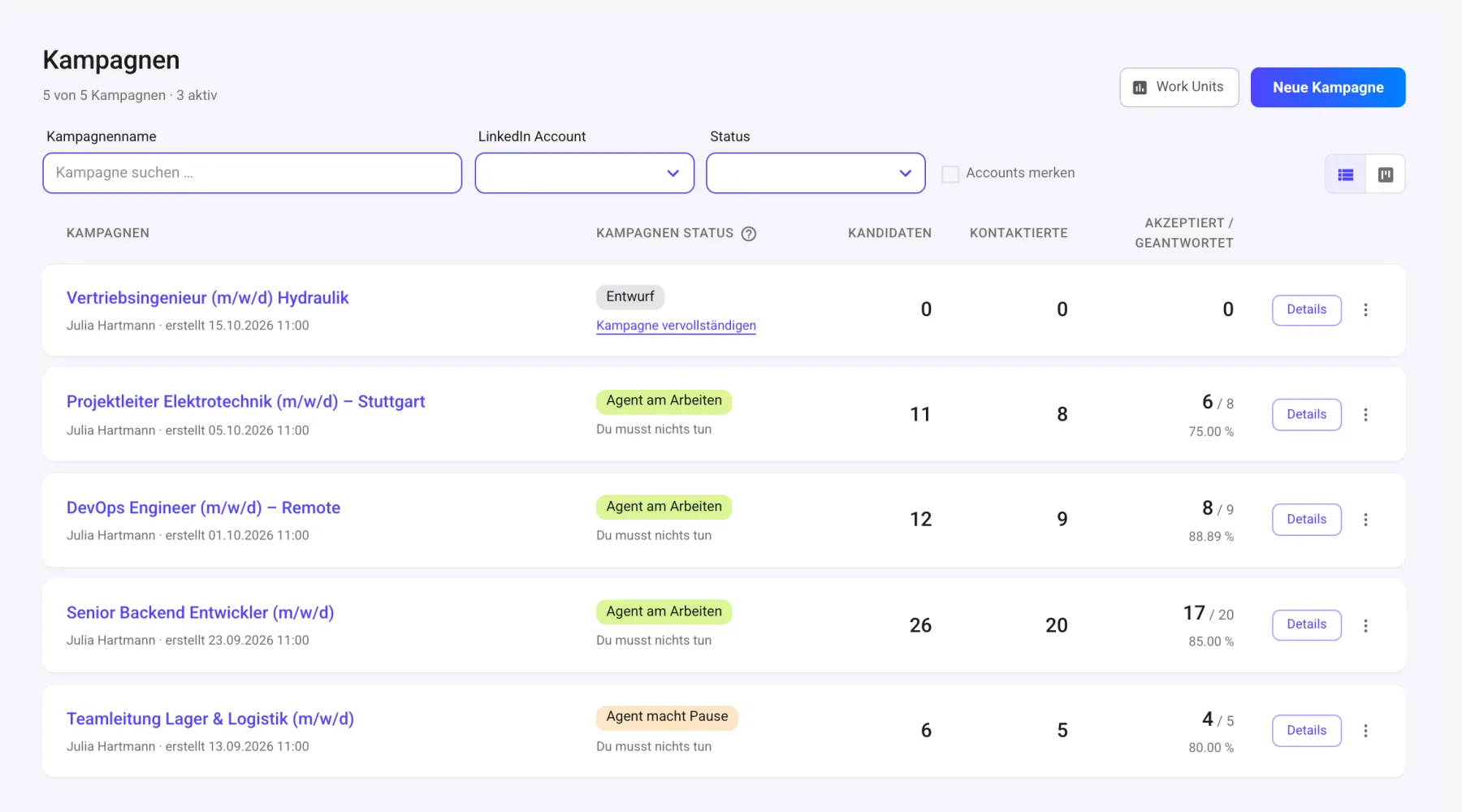
Real screenshot: the campaign overview.
The agent searches and writes. You run the conversations.
What the agent does
- Find candidates and keep adding more
- Analyze and rate profiles
- Write every message individually
- Send connection requests, follow up, send InMails
- Answer replies, if you want
What you do
- Review replies and run the conversations
- Approve messages, if you’ve turned on approval
- Refine criteria and messaging when the results call for it
- Pause, resume or end campaigns
- Schedule meetings with candidates
- 01
Sign up
14-day free trial with every feature. You add a payment method at the start; you’re only billed afterwards.
- 02
Connect your LinkedIn account
A wizard guides you through sign-in. It sets up a dedicated, fixed IP address for the account, signs it in via the LinkedIn app on its own device, and asks you once for two-step verification. After that, no further sign-in is needed.
- 03
Create your first campaign
Paste the role, set criteria, launch. The seven-step wizard guides you.
Launch your first campaign today.
Add the job ad, set your criteria, launch the campaign. The agent handles the rest.
14-day free trial · Servers in Germany